

Memory in the workspace
Activate OpenDream inside the workspace you already use. Canonical state stays local, under the workspace folder, without forcing a hosted memory service into the loop.
 Open, local-first memory for AI agents
Capture what happened, retrieve what matters, review what changed. Carry useful context across projects, tools, and sessions while keeping boundaries, sources, and review visible.
Install
uv tool install opendream
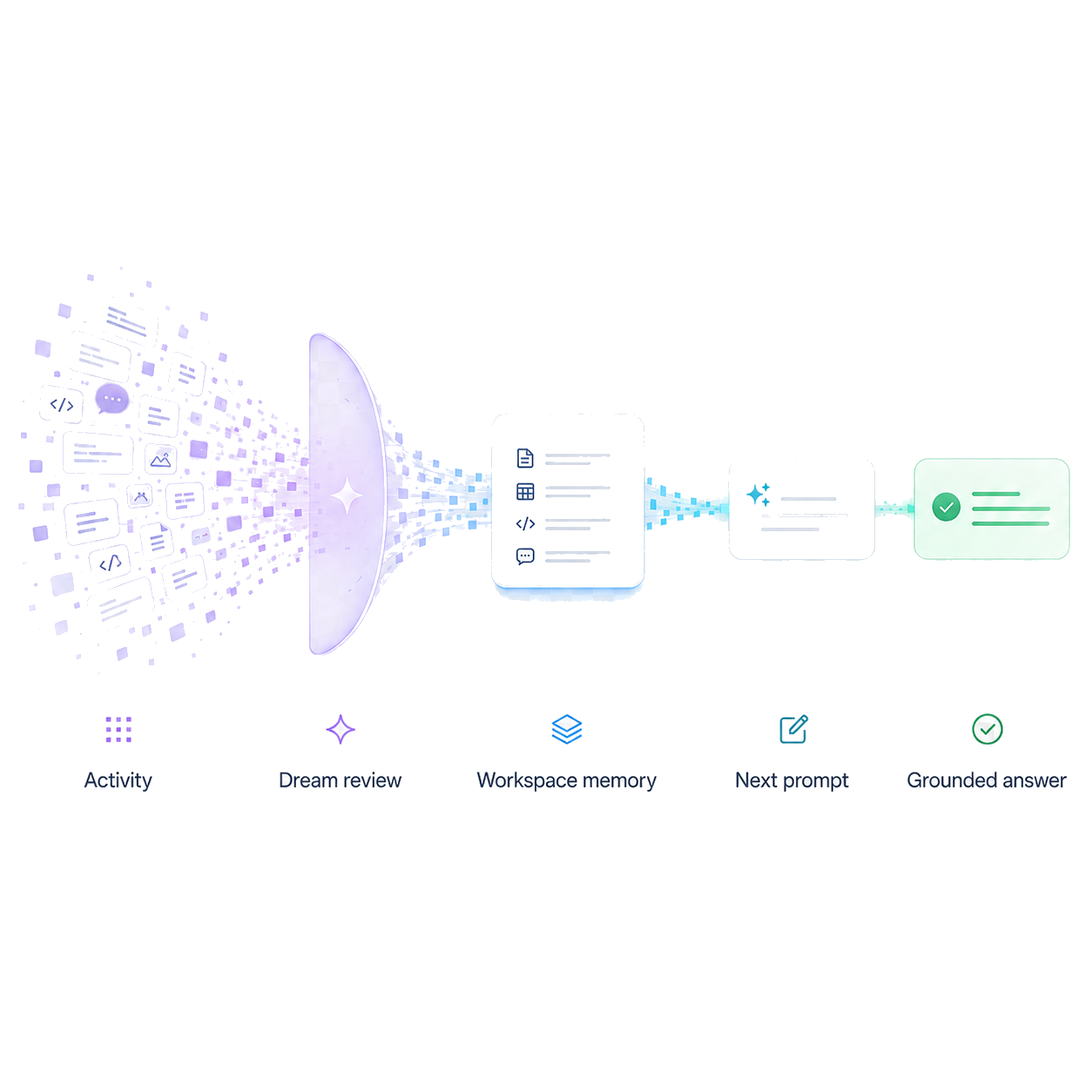
Use memory across agents and tools without hiding where it came from or where it applies.
uv tool install opendream
opendream init --workspace .
opendream verify activation-capture --workspace . --targets
                                    configured
opendream status --workspace .
Human Interface
The browser UI is a readable control room for local memory: runs, retrievals, source links, evals, reviews, and workspace catalog all in one place.
Activate OpenDream inside the workspace you already use. Canonical state stays local, under the workspace folder, without forcing a hosted memory service into the loop.
Inspect recent runs, selected memories, prompt context, review decisions, and workspace health without reading raw JSON first.
Dream runs turn agent and operator history into durable, source-linked context so future sessions can recover what mattered.
Source links, abstention paths, evaluation reports, and review queues make memory quality inspectable before you trust it.
Health, contested state, type mix, and recent durable memory highlights.
Prompt-context assembly with query history and selected source links.
The exact context package a later session can inspect before model handoff.
Codex, Claude Code, and Cursor can contribute across sessions while event trails remain attributable.
Memory changes are shown as inspectable diffs before you treat them as truth.
Recommended memory decisions before questionable context becomes trusted.
Use the graph as a quick map of records, runs, retrievals, and context-use links.
Context evidence
OpenDream shows which memories were selected, why they matched, and which items stayed out of the handoff.
Context improvements
Real coding-agent output, normalized for readability.
OpenDream recovered the previous state and pointed to the next concrete recovery step.
Remembered constraints changed the implementation path toward a read-only, rebuildable projection.
Prior context triggered a verification step before editing, avoiding duplicated stale work.
Demo videos
Workflow
Agent activity lands as local events, transcripts, and source-linked project notes.
Background memory review and cleanup turns noisy history into saved, inspectable memory.
Task context pulls only memories that fit the current prompt or handoff.
Reports show selected source links, exclusions, changes, and safety checks.
Why OpenDream
| Capability | Static files | RAG / vector DB | Hosted APIs | Managed memory | OpenDream |
|---|---|---|---|---|---|
| Improves context across sessions | Manual | Depends | |||
| Local-first by default | Depends | ||||
| Portable across agent runtimes | Manual copy | Custom | API-dependent | Product-bound | |
| User-defined boundaries | Folder rules | Metadata | API-dependent | Product-defined | |
| Explains recalled context | Sometimes | Sometimes | Limited | ||
| Shows stale or conflicting memory | Limited | Limited | Limited | ||
| Reviewable memory updates | Manual diffs | Custom | Limited | Limited | |
| Works without vendor memory lock-in | |||||
| Public real-world benchmarks | Varies | Varies | Private | Not yet |
OpenDream is alpha. Current evidence is strongest for local operation, context preparation, auditability, and Codex-tested workflows. Broader integrations and external benchmarks remain active validation areas.
Frequently asked
Keep the agent setup and memory systems you already use. OpenDream adds a separate, inspectable memory layer.
No. OpenDream keeps its own workspace memory and can run alongside built-in memory from Codex, Claude Code, or another agent. Use both, compare what each recalls, and decide where OpenDream adds value.
Activation adds OpenDream-managed hooks, wrappers,
or marked instruction blocks for selected agents. It
does not replace their built-in memory. Preview
changes with activation-plan, or remove
generated integration with deactivate.
Yes. Run opendream init --workspace .
--no-activate-configured, then use the CLI and
local UI directly before connecting an agent.
No. OpenDream does not send your workspace to OpenDream Cloud, and the current runtime has no OpenDream Cloud upload path. Future cloud features would be separately configured and opt-in. See the full FAQ for the separate status of model-provider paths.
OpenDream Cloud
The local version stays 100% free and open source. Cloud access will open in small preview batches for hosted Pro, Team, and Enterprise workflows.